
GAME-01
Brave Island
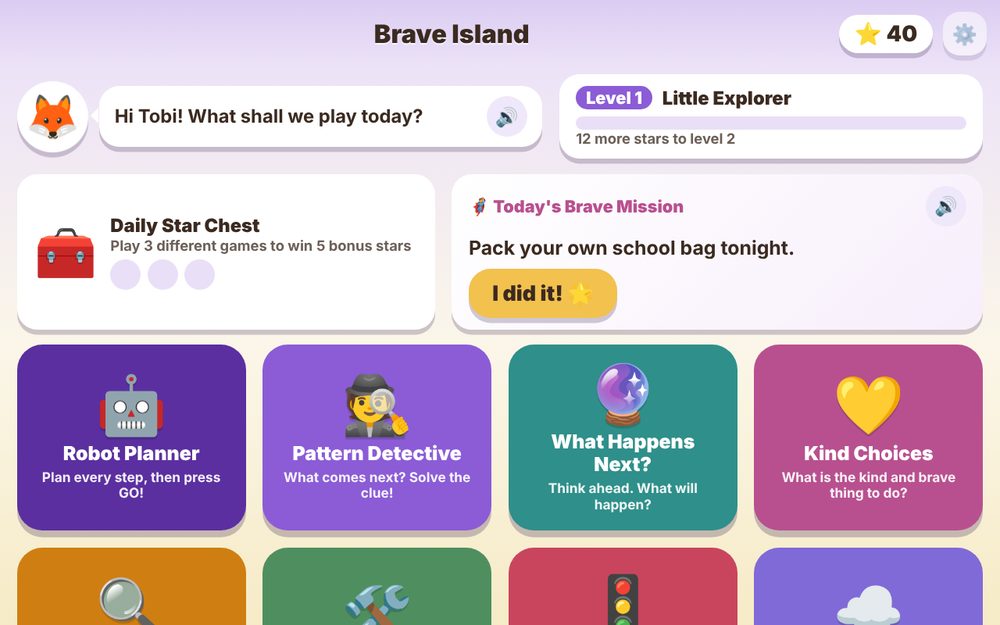
Nine games that build planning, reasoning, kindness, patience and courage. The content adapts to the age a parent picks, with daily missions and treasures to collect.
We build the games. Your child builds the character. Planning ahead, choosing kindly, staying calm and being brave, all hidden inside games children ask to play again.
Each game installs as its own app, so a family only adds the ones they want.
Nine games that build planning, reasoning, kindness, patience and courage. The content adapts to the age a parent picks, with daily missions and treasures to collect.
New games are in the workshop. Check back soon.
Numbers, letters and shapes are covered at school. We add what decides how a child handles life.
Plan every step first, then press GO. Thinking before acting becomes a habit.
Spot the clue, predict what happens next, and explain why instead of guessing.
Real situations, like a sad friend, where the child picks the kind and brave response.
Waiting is rewarded, and feelings get names and slow breaths.
Something went wrong. How do we put it right? The child works it out.
Small jobs, like packing a school bag, turn into stars on the child's own island.
Progress stays on your child's device. No accounts, no ads, no tracking. Read the privacy page.
Pick an age from 4 to 10. The games, difficulty and daily missions adjust on their own.
A parent PIN guards the settings, including a daily play time limit and the My Day list.
Open a game, add it to your device, and it opens like any other app, even without internet.
Each child should use their own device, because stars and progress are saved on the device. Open the game once with internet. After that it works without it.
Ideas for the next game, feedback from your child, or a question about the app.